Create Route Table
AWS CLI with Route Table
- Create Route Table
Similarly, we create a Route Table for our VPC:
aws ec2 create-route-table --vpc-id <VPC-ID> --query RouteTable.RouteTableId --output text
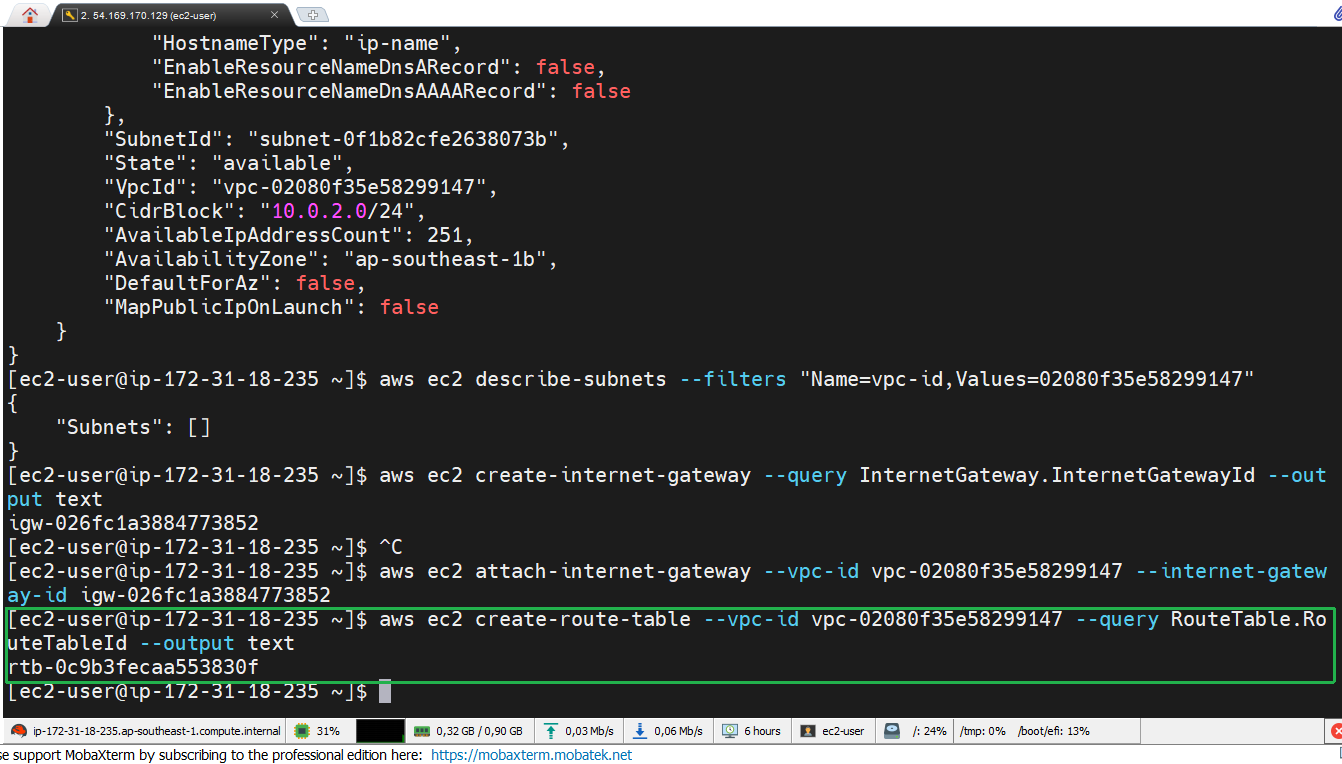
Route Table determines how traffic is routed within the VPC. Each subnet must be associated with a route table to define network traffic flow. Save the Route table ID for the next steps.
- Configure Route Table
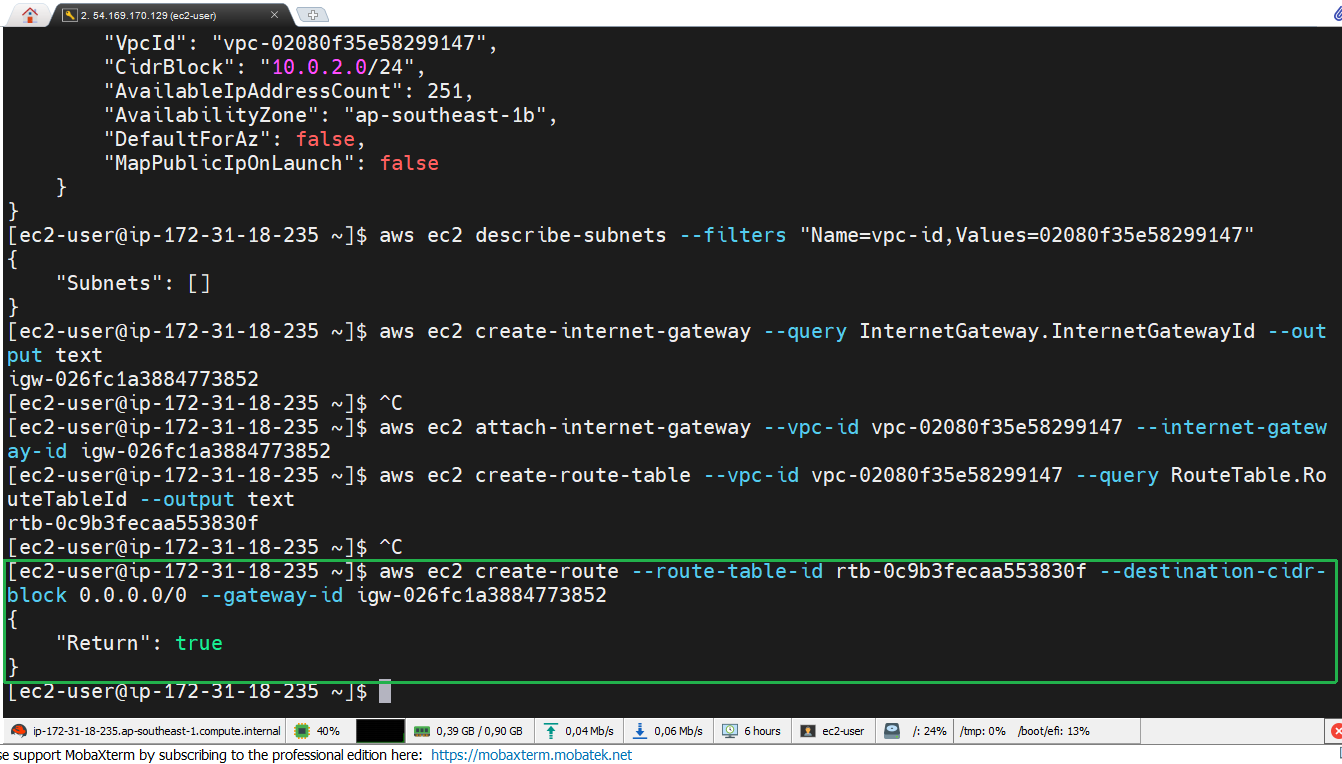
Next, we configure the Route Table to connect to the Internet:
aws ec2 create-route --route-table-id <RTB-ID> --destination-cidr-block 0.0.0.0/0 --gateway-id <IGW-ID>
- Check Route Table
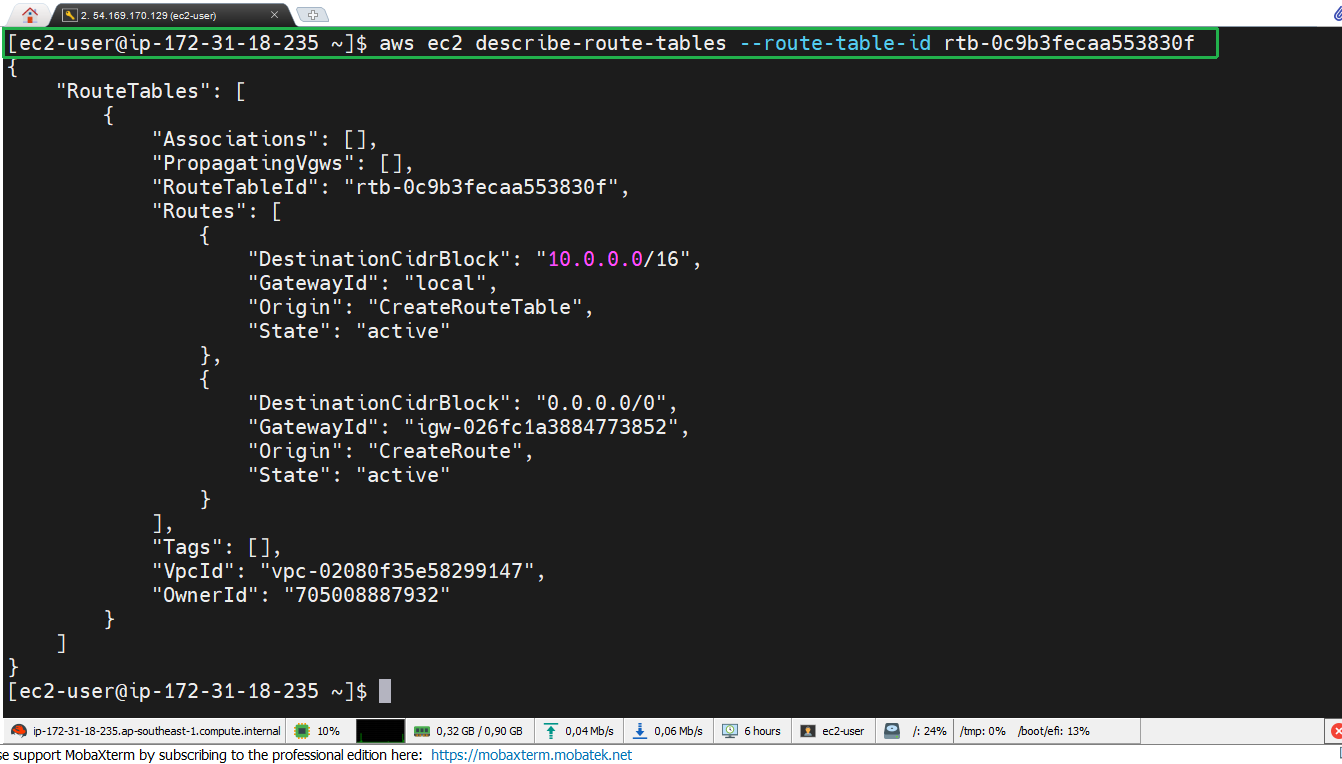
After creating the route, we check the Route Table configuration:
aws ec2 describe-route-tables --route-table-id <RTB-ID>
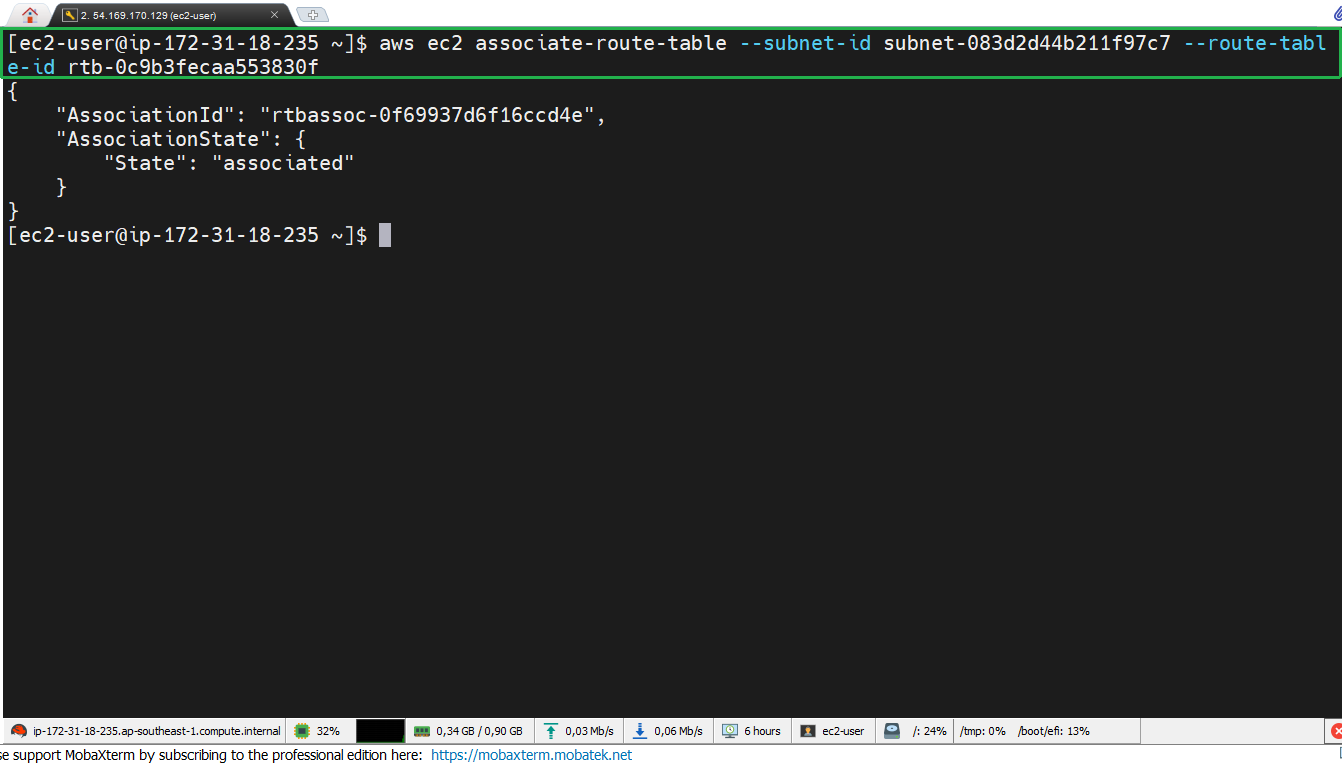
- Associate Route Table
Finally, perform associate route table with a specific subnet:
Before proceeding, copy the SubnetId saved from the previous steps
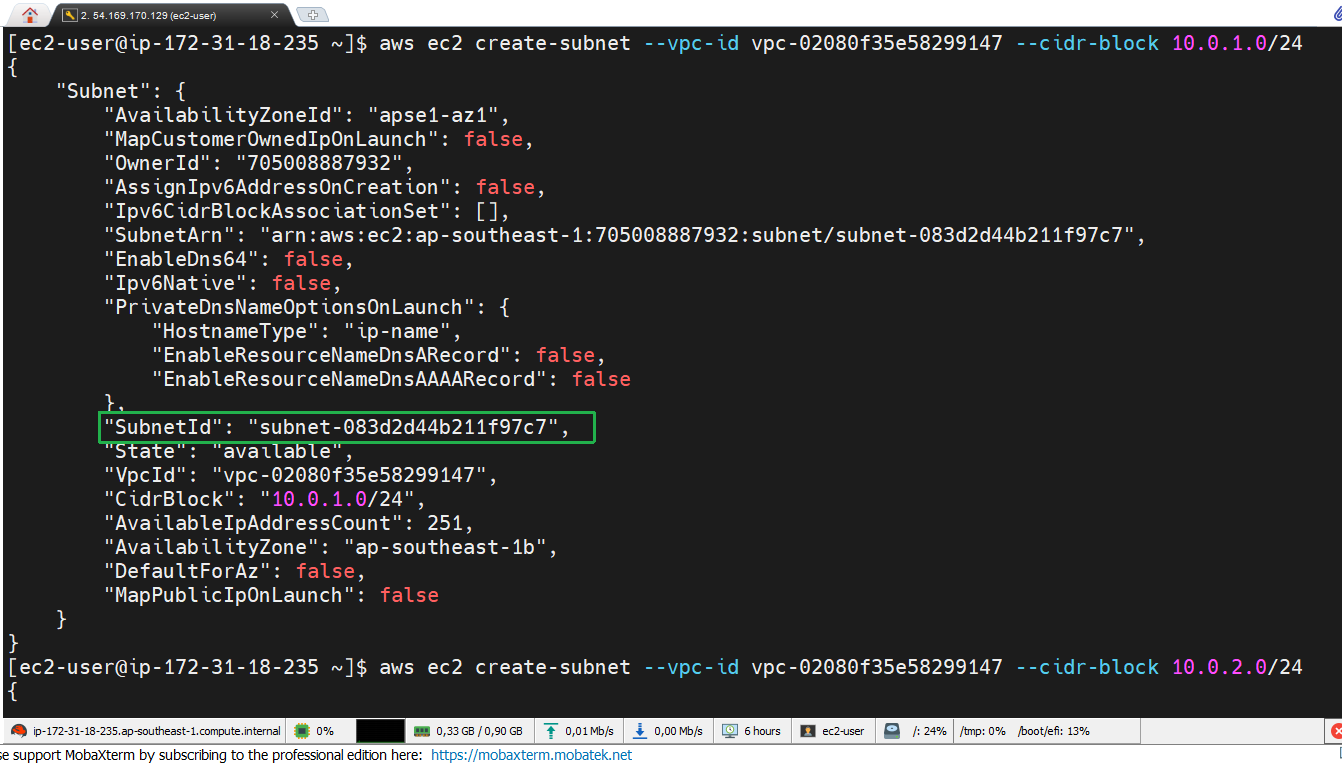
aws ec2 associate-route-table --subnet-id <Subnet-ID> --route-table-id <RTB-ID>